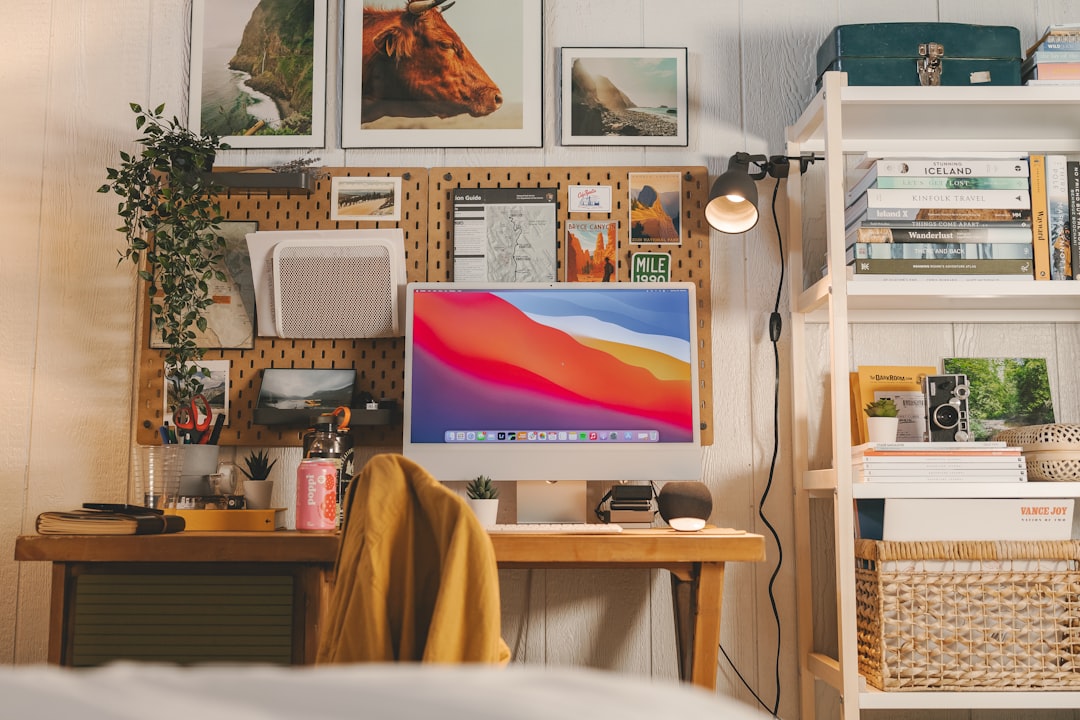
How to Create a Beautiful and Functional Home Office
Designing a home office that looks good and helps you focus doesn’t require a complete remodel. With purposeful choices around furniture, lighting, and organisation you can build a space that supports long workdays and looks inviting.
This guide walks through practical steps—layout, ergonomics, lighting, tech setup and finishing touches—so you can create a home office that’s both beautiful and highly functional.
1. Start with purpose and layout
Clarify how you’ll use the room: focused work, video calls, or creative tasks. That determines desk size, storage and seating. Measure the space and plan circulation so you can move freely without knocking into shelves or power cables.
If you want sit-stand flexibility, consider a purpose-made electric desk for smooth transitions and reliable height ranges — for example the FEZIBO Electric Standing Desk, which saves floor planning stress by offering a compact top and adjustable height for different tasks.
2. Invest in ergonomics first
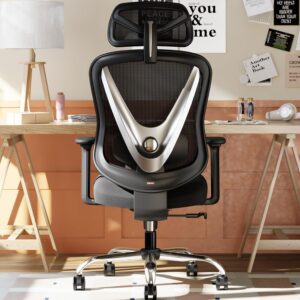
Ergonomics directly affects comfort and productivity. Start with a supportive chair that adjusts to your body and work style. Look for adjustable lumbar support, seat height, armrests and a breathable fabric.
A chair like the HOLLUDLE Ergonomic Office Chair is a smart investment: it reduces strain and lets you sustain focus longer. Pair that with a desk set to the right height and small ergonomic peripherals (keyboard tray, wrist rest) to complete the setup.
3. Monitor setup and screen ergonomics
Screen height, distance and number of monitors matter. Position the top of the main screen at or slightly below eye level and 50–70 cm away for a single monitor, or place dual monitors at an equal angle to avoid neck twist.
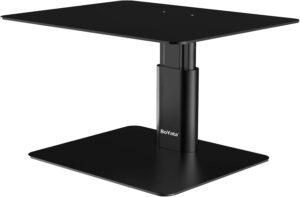
Monitor risers and stands free desk space, raise screens to the correct height, and create under-stand storage for notebooks or a keyboard. Check out different options at the Monitor Stands category to find the right style and height for your setup.
4. Task and ambient lighting
Good lighting reduces eye strain and improves image quality for video calls. Layer your lighting: ambient general light, focused task light, and accent light for atmosphere. Place task lights to the side opposite your writing hand to reduce shadows.
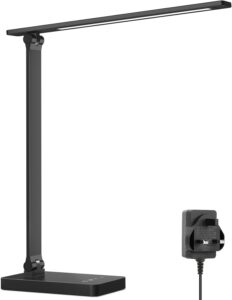
Dedicated desk lamps provide adjustable brightness and colour temperature—look for models with dimming and an eye-care mode. Browse options in the Desk Lamps category. A reliable example with bright output and good controls is the Lepro Desk Lamp, which is compact and easy to position for both paperwork and screen work.
5. Cable management and power planning
Cluttered cables undermine even the most elegant desk. Plan power outlets, surge protection, and device charging so cables run cleanly and don’t create trip hazards. Label power strips if you share the space or use many devices.
Use cable trays, clips and organisers to route cables under the desk and behind furniture. Browse useful solutions in the Cable Management Organisers category for sleeves, ties and trunking that suit your desk profile. For an under-desk tidy option, look at the Cable Management Under Desk Cable Tidy product to keep power strips and excess length out of sight and off the floor.
6. Storage, surfaces and accessories
Match storage to your habits: open shelving for reference books and items you use daily, closed drawers for paperwork and supplies you use less often. Keep frequently used items within arm’s reach to reduce interruptions.
Small additions like a monitor riser can double as extra storage, raising your screen and creating a tray beneath for notebooks or a keyboard. The BoYata Monitor Stand Riser is a good example of a sturdy, space-saving riser that benefits ergonomics and organisation.
7. Finishing touches: plants, texture and sound
Finally, add items that improve wellbeing and make the room feel cohesive: a low-maintenance plant, a textured rug, or a few framed prints. These elements soften a functional space so it feels personal without becoming cluttered.
Consider acoustic improvements if hard surfaces echo—soft furnishings and rugs absorb sound. Keep decor minimal and meaningful: a single statement art piece, a small vase, or a scented diffuser for a subtle, consistent atmosphere.
Quick checklist
- Define primary work activities and measure the space.
- Choose an adjustable desk and ergonomic chair.
- Set monitor(s) at eye level and at a comfortable distance.
- Layer lighting: ambient + task + accent.
- Plan power locations and secure cables with organisers.
- Allocate storage for daily vs. archived items.
- Add a few personal touches for comfort and calm.
Maintaining comfort and productivity
Small routines keep the space working: tidy at the end of each day, dust electronics weekly, and reassess ergonomics after a month. Rotate décor and plants seasonally to keep the room feeling fresh without major changes. Also schedule short standing or stretching breaks if you sit for long stretches.
FAQ
Q: How much space do I need for a functional home office?
A: A compact desk (100 x 60 cm) works for a laptop and monitor. Allow space for chair clearance (at least 90 cm behind desk) and natural movement. More room improves storage options.
Q: Do I need a standing desk?
A: Standing desks are helpful to vary posture and reduce continuous sitting. If you prefer a fixed desk, pair it with periodic standing breaks and an adjustable-height monitor or riser.
Q: How can I reduce glare on my monitor?
A: Place screens perpendicular to windows, use blinds or diffuse light, adjust monitor brightness and use an anti-glare filter if needed. Task lighting should be positioned to the side to avoid reflections.
Q: What’s the best way to hide cables?
A: Use under-desk trays, cable sleeves and adhesive clips to route cables along furniture lines. Secure power strips under the desk and keep excess cable coiled and tucked away.
Q: How do I keep my home office feeling tidy without losing personality?
A: Limit decorative items to a few meaningful pieces and use functional décor—stylish storage, a quality lamp, and a single plant or art piece—to balance beauty and utility.
Conclusion
Build your home office around how you work: prioritise ergonomics, lighting and simple organisation. Start with one or two impactful upgrades—a supportive chair, a raised monitor or a good desk lamp—and improve the space iteratively. A few thoughtful choices will create a workspace that’s both attractive and productive.
Products Featured in This Article

FEZIBO Electric Standing Desk 100 X…
Product Description The video showcases the product in use.The video guides you through product setup.The video…
HOLLUDLE Ergonomic Office Chair wit…
Product Description The video showcases the product in use.The video guides you through product setup.The video…
BoYata Monitor Stand Riser, Sturdy …
Product Description Note: To prevent the monitor from being broken when the center of gravity moves…
Lepro Desk Lamp, 750lm LED Desk Lam…
From the brand About US We has focused on creating the best lighting experience for more…

Cable Management, Under Desk Cable …
Product Description Add To Basket Add To Basket Customer Reviews 4.8 out of 5 stars 435…